TabOutX
Tab out of quotes, brackets and more in Visual Studio Code.
Forked from TabOut.
Features
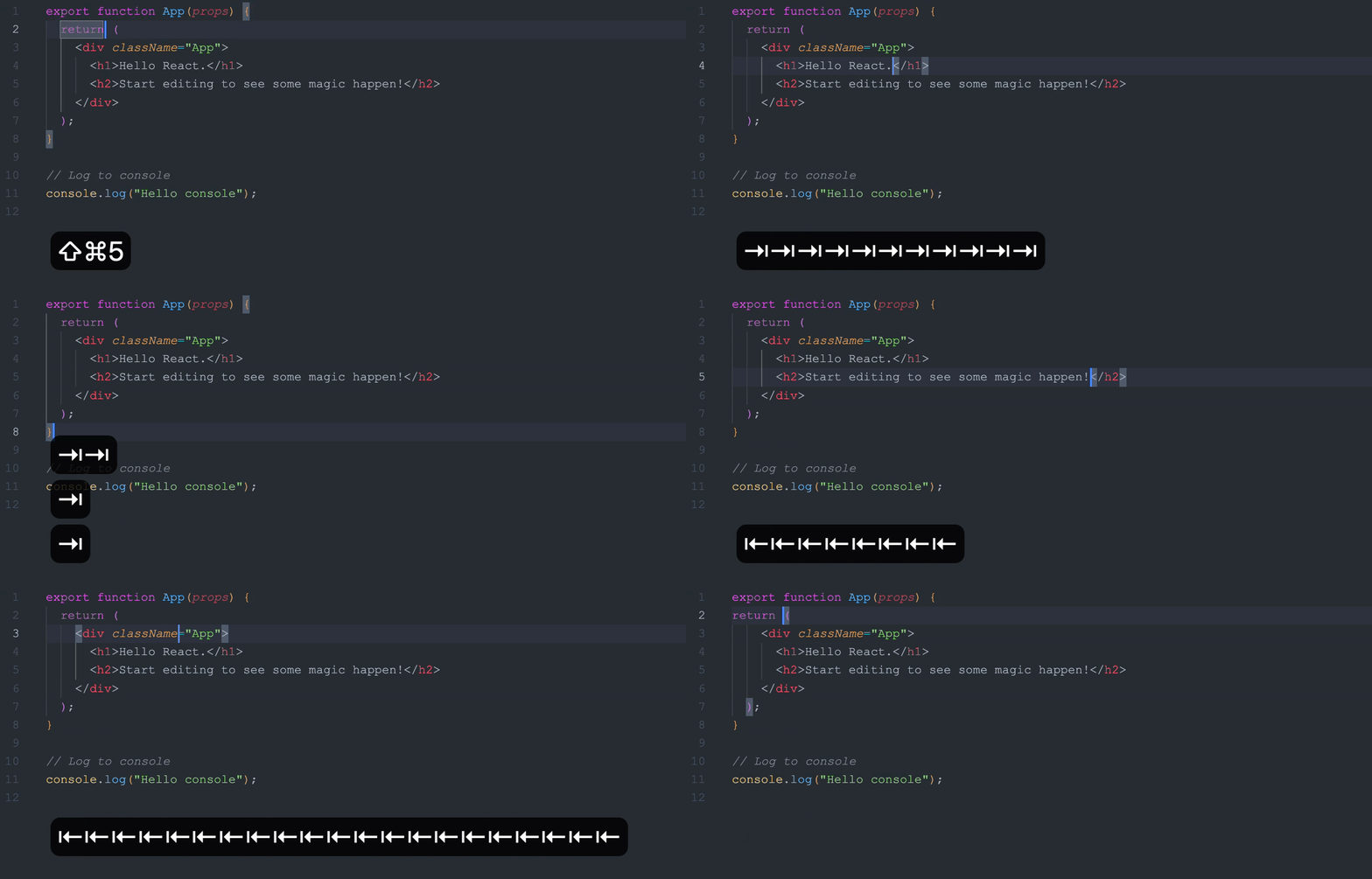
- Tab out of quotes, brackets and cusomtoms, including multicharacter ones.
- Tab out backward with
Shift+Tab. - Multiline support: jump from the end of a line to the next line which starts with a specific pair.
Configuration
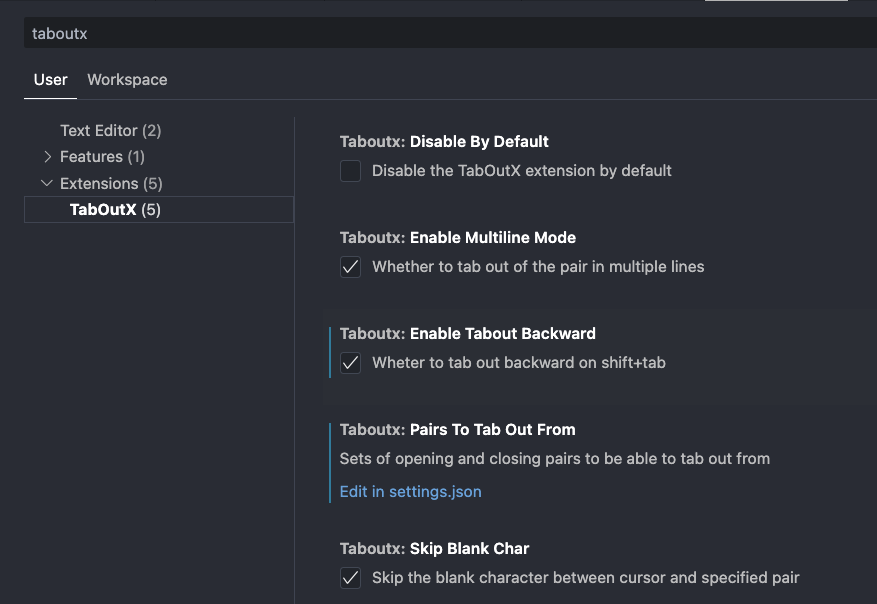
Settings > Search “taboutx”. And you can customize the pairs you want to tab out of by editing the settings.json file. Below click the “Edit in settings.json” link to open the file.
Key Bindings Conflict
TaboutX has the lowest priority, so if you have other extensions that use the Tab or Shift+Tab key bindings,
you may need to change their key bindings to avoid conflicts. How to configure key bindings in VS Code:
- Go to File > Preferences > Keyboard Shortcuts (or press
Ctrl+K Ctrl+S). - Search “taboutx” or “taboutxBack”.
- Right-click on the command and select “Change Keybinding”.
- Press the new key combination you want to use and click “OK”.
But in the end, you will find that Tab is still the best key binding for this extension.